Flexible weekly schedules
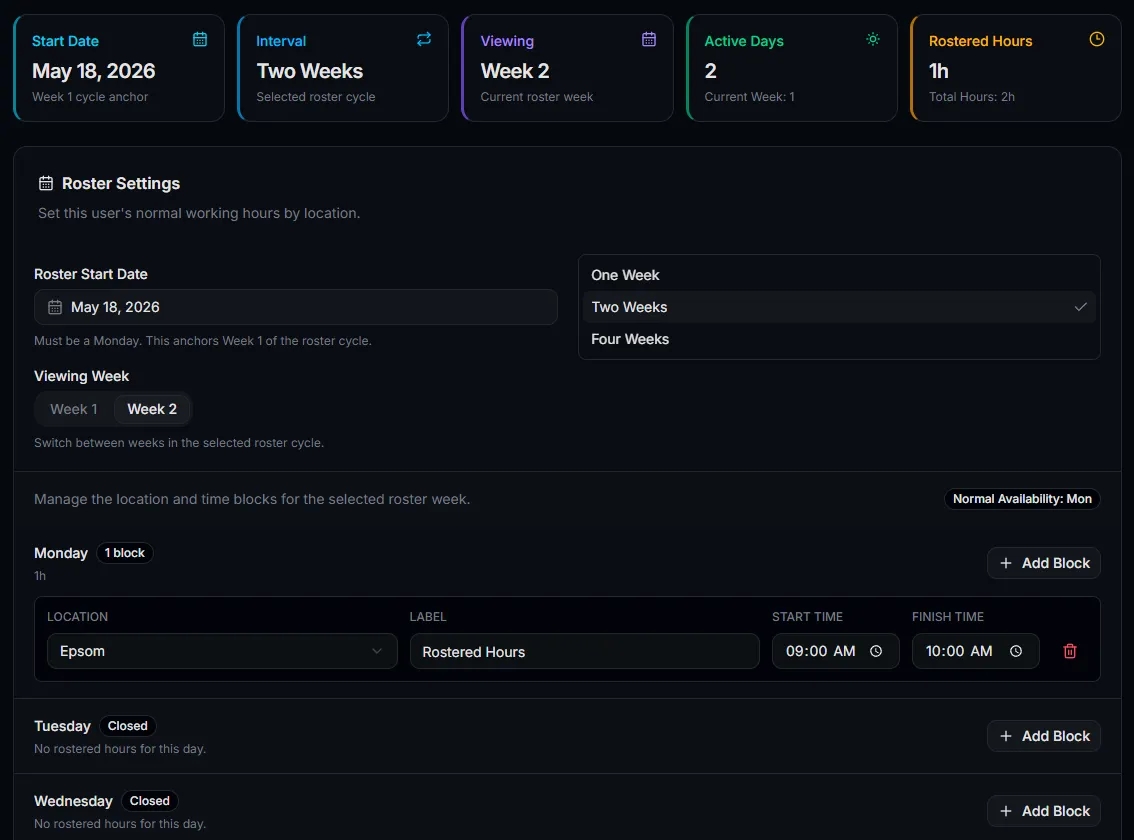
Set different hours for each team member across each day of the week.
Create weekly staff schedules, manage different working hours, track location coverage, and keep appointments aligned with real team availability.
Roster preview
Week of 22 Jun 2026
Why rostering matters
Rostering gives you a clear 7-day view of staff coverage, supports multi-site planning, and keeps live booking availability connected to who is actually working.
Set different hours for each team member across each day of the week.
Keep bookings aligned with the people who are actually rostered on.
See who is rostered at each location and identify coverage gaps earlier.
Review weekly staff coverage with dates, hours, locations, and totals.
Use one, two, or four-week roster cycles for consistent working patterns.
Help prevent appointment availability from drifting away from real staff hours.
How it works
Servorian gives your business a reliable source of truth for who is working, when they are available, and where they are assigned.
Set each team member's working days, start times, finish times, and assigned location.
Appointment availability can respect who is rostered and where they are working.
Use roster views and reports to understand coverage across the week.
Update hours, locations, users, and repeat patterns as the business evolves.
Daily coverage
Rostered hours by day
Monday
4
staff
27.0
hours
Tuesday
5
staff
35.0
hours
Wednesday
5
staff
37.0
hours
Thursday
4
staff
30.0
hours
Roster reporting
Roster reporting gives owners and managers a practical overview of staff coverage, daily hours, and gaps before the week begins.
View staff rows against daily columns
Each team member gets a row, each rostered day gets a clear time block.
Identify shorter and split shifts
Spot non-standard coverage quickly before the week starts.
Print a clean weekly roster
Share a practical staff roster when the team needs a physical copy.
Connected workflows
Online bookings
Show appointment times around suitable rostered staff availability.
Multi-location
Assign people to specific locations and review site-level coverage.
Appointments
Keep the calendar aligned with staff working hours and location context.
FAQ