Central location directory
Keep each clinic, salon, studio, or practice site organized in one workspace.
Manage business locations, operating hours, team coverage, appointments, and booking context without splitting your operations across separate systems.
Location workspace
Sites, hours, and coverage
Newcastle Clinic
Mon-Fri, 9 AM-6 PM
8 team members
Maitland Studio
Tue-Sat, 10 AM-5 PM
5 team members
Charlestown Rooms
Mon-Thu, 8 AM-4 PM
4 team members
Why multi-location matters
Multi-location support keeps site details, hours, team coverage, and appointment context connected so managers can understand the business as a whole.
Keep each clinic, salon, studio, or practice site organized in one workspace.
Define operating hours per location so scheduling and rostering have proper boundaries.
Understand where staff are rostered and which locations need more coverage.
Connect appointments to the correct site, team members, and availability windows.
Store location contact details, addresses, and time zone information in one place.
Support different site setups without splitting the business across disconnected systems.
How it works
Servorian is designed to keep each site distinct where it matters, while still giving owners one place to manage the broader business.
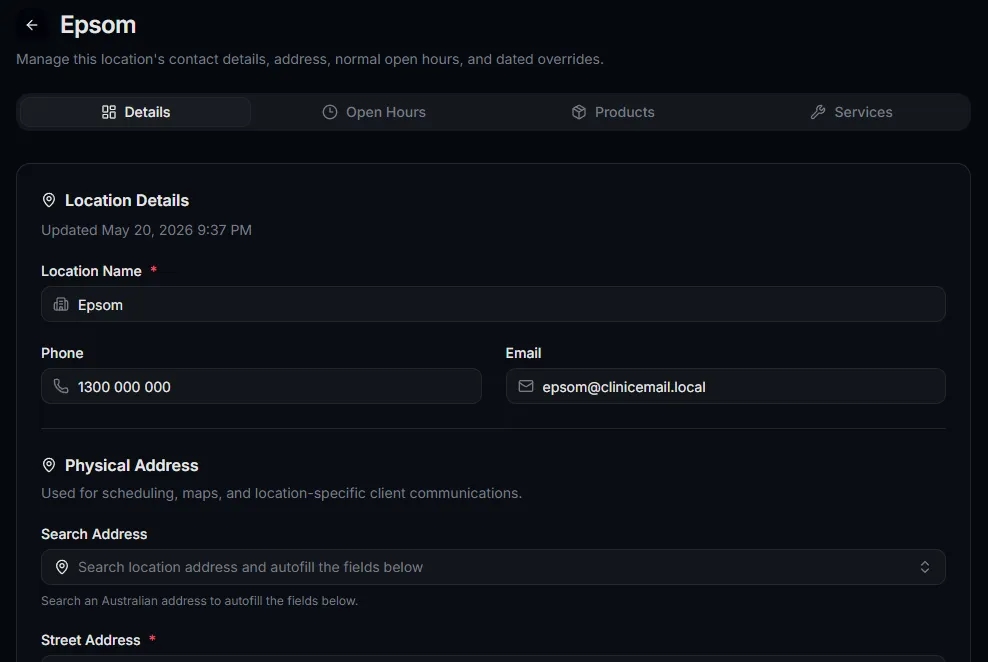
Capture the address, contact details, time zone, and business context for every site.
Define when each site is open so team rosters and booking windows can stay realistic.
Connect staff rosters, appointments, and services to the locations where work happens.
Review operational coverage across locations without creating separate systems for each site.
Site coverage
Weekly location planning
Newcastle
42
hours covered
Maitland
31
hours covered
Charlestown
24
hours covered
Open gaps
3
to review
Location visibility
Location management becomes most useful when it connects to roster coverage, appointment demand, and day-to-day operational planning.
Compare site coverage
See which locations have the right people and hours available for the week ahead.
Reduce booking confusion
Keep appointments tied to the right site so clients and staff know where work is happening.
Support different operating models
Handle sites with different hours, contact details, and team availability.
Connected workflows
Scheduling
Keep appointment calendars aware of the location where each booking takes place.
Team rostering
Roster staff into the sites where they are actually working.
Online bookings
Let clients choose suitable times around the locations your business operates from.
FAQ